Anime Ragdoll Engine Controls Guide
Device inputs, ragdoll interactions, Slow Motion practice, and why you should re-check settings after every Early Phase patch.
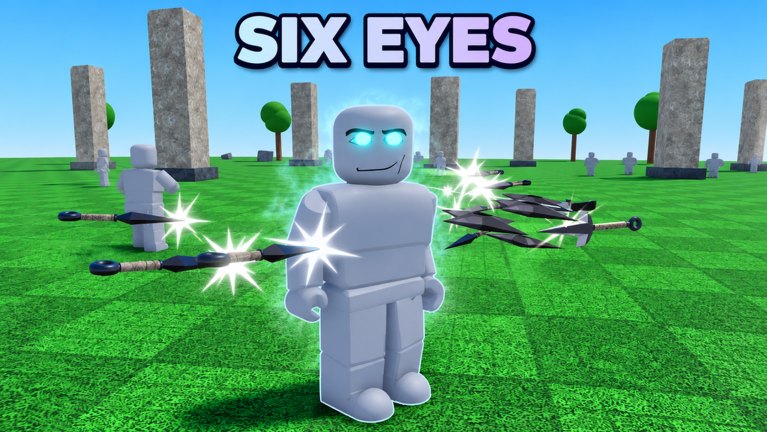
Anime Ragdoll Engine is still in Early Phase, and Default Cubes has been iterating inputs almost as fast as content. The Six Paths mobile-controls pass (November 8), console support notes in the New Characters + Maps window (November 7–8), and Shadow Monarch’s mobile/console QoL tweaks (November 13–16) all prove the same rule: treat this page as a study sheet, then confirm labels inside the live settings or controls panel after you update.
If you have not finished onboarding, skim Getting Started first. For the sandbox loop that these inputs serve, read How to Play.
Universal habits (every device)
- Re-open Controls/Settings after major patches. Bindings and on-screen button layouts have already changed more than once in November 2026.
- Learn movement before fancy skills. You need stable footing to aim launches into dummies instead of off the map pad.
- Separate “move,” “attack/skill,” and “sandbox tools.” Character skills are not the same layer as Slow Motion or dummy reset helpers.
- Expect asymmetry across platforms. A PC key name may not exist on mobile; console may mirror skills to face buttons or bumpers instead of number keys.
PC controls
PC players usually get the densest binding sheet. Exact labels can shift, but the workflow stays consistent:
- Move with standard Roblox WASD and camera mouse look.
- Jump with Space when you need height for aerial skill timing.
- Basic attacks / melee confirms through the primary click or attack bind shown in settings—use these to set up skills on dummies.
- Character skills on the hotbar or listed skill keys. Cast each one once in a safe lane so you learn range and recovery.
- Sandbox camera adjustments when you want a clearer read on ragdoll arcs; third-person is usually easier for watching tumble paths.
Ragdoll interactions on PC
The fantasy is physics contact with dummies (and sometimes other players’ experiments in shared lobbies):
- Line up so your hitboxes actually meet the dummy’s torso or limbs—whiffing teaches nothing.
- After a launch, track the ragdoll’s flight instead of instantly recasting. Where it lands tells you whether your angle was useful.
- If the body piles into geometry, reset or move to a fresh dummy rather than forcing inputs into a stuck pose.
- When you practice precision, enable Slow Motion so you can see which frame of the skill imparts the fling.
PC is also the easiest place to alt-tab this wiki beside the client. Keep Training Grounds V2 open if the redesigned map changed where your favorite dummy clusters sit.
Mobile controls
Mobile received explicit attention during the Six Paths mobile controls update and further QoL in Shadow Monarch. Expect on-screen thrust:
- A movement stick or pad for positioning.
- Attack / skill buttons clustered for thumb reach—layouts were reworked, so older screenshots may lie.
- Camera drag on a separate touch region; practice aiming skills without sliding into movement.
- UI scale and safe-area changes may accompany QoL patches; if a button sits under a notch or gesture bar, check settings before blaming the kit.
Mobile ragdoll practice tips
- Stand closer than you think you need for the first twenty reps; touch aiming is noisier than mouse aiming.
- Use Slow Motion liberally while learning. Mobile frame pacing plus physics chaos is harder to read at full speed.
- Avoid practicing exclusively in crowded five-player lobbies until your thumbs know the layout—Shadow Monarch’s lobby size increase means more visual noise.
- If a skill button feels dead after a patch, leave and rejoin once; Early Phase UI sometimes needs a fresh session.
Console controls
Console support matured across the early November character/map drops and Shadow Monarch QoL. Typical console patterns in Roblox fighters/sandboxes:
- Left stick move, right stick camera.
- Face buttons or bumpers for attacks and skills—confirm the on-screen legend after each update.
- Menu/Hold buttons for shop, character select, and Slow Motion toggles when those tools are not on the radial.
Console players should especially re-check bindings after QoL patches: dead zones, trigger confirmations, and UI focus order often change even when PC keys stay put.
Slow Motion
Slow Motion became freely available during the New Characters + Maps window (November 7–8). It is a practice multiplier, not a flex:
- Toggle it on when studying a new skill’s contact frame.
- Use it to understand why a dummy launches left instead of up.
- Turn it off when you want real-time lobby timing or boss-leaderboard pace during Shadow Monarch.
- Do not confuse Slow Motion with a damage buff—it is a readability tool for the physics sandbox.
Sandbox inspection and injury-style readouts
Some ragdoll sandboxes on Roblox expose doctor/injury overlays or hover inspect tools. Anime Ragdoll Engine’s fantasy is anime combat plus physics dummies; any inspect, vitals, or injury readout—if present in your build—will be labeled in Settings or a mode toggle rather than as a hidden meme key from a different game.
Practical advice:
- Open Settings and scan for Doctor, Inspect, Injury, or Diagnostics-style toggles after updates.
- If an overlay exists, use it on dummies to learn which contacts matter for your kit.
- If it does not exist in your session, do not force keybinds copied from unrelated ragdoll titles—Early Phase documentation changes quickly, and wrong binds create bad habits.
- Report confusing labels in the developer’s preferred channel rather than assuming the wiki can invent a key.
Controls still changing — Early Phase disclaimer
Default Cubes shipped mobile control reworks, console QoL, skill retunes, and lobby changes inside roughly two weeks. That means:
- Screenshots from November 4 may disagree with November 16.
- A creator video can be correct for PC and wrong for mobile the same week.
- This wiki will update pages after major windows, but in-game Settings always win.
After every headline patch—especially those listed on the Updates Hub—spend sixty seconds confirming:
- Movement still feels right.
- Each skill fires from the expected button.
- Slow Motion still toggles.
- Shop and character menus remain reachable.
Practice drill (ten minutes)
- Enter Training Grounds on your main device.
- Move in a square while keeping camera on one dummy.
- Land ten basic hits without skills.
- Cast each skill once at full speed, once in Slow Motion.
- Relaunch the same dummy three times and compare landing spots.
- Open Settings and literally read every control label once.
Finish by returning to How to Play or spending Ryo with a plan on Ryo Shop. Clean inputs make every other system in Anime Ragdoll Engine easier to judge.
Frequently Asked Questions
Quick answers to the most common questions.
Why do my controls feel different after an update?
Early Phase still reworks mobile, console, and QoL inputs. Re-open the in-game Controls/Settings panel after every major patch and rejoin once if UI looks stale.
Is Slow Motion free?
Yes—Slow Motion was made free during the New Characters + Maps window in early November 2026. Use it to study skill contact and ragdoll launches.
Where can I find exact keybinds?
In the live client Settings/Controls sheet. This guide explains workflows by device; Early Phase bind names can change faster than any static chart.
Does Anime Ragdoll Engine have doctor or injury inspect mode?
Check Settings for any Inspect/Doctor/Diagnostics toggle in your build. Do not copy keybinds from unrelated ragdoll games—only use what your client labels.
What should I practice first on mobile?
Movement plus basic hits on a close dummy, then skills in Slow Motion. Learn the post–Six Paths button layout before fighting crowded five-player lobbies.